How to Register Account on Olymptrade

This guide will walk you through the process of registering your account on Olymp Trade quickly and securely, ensuring you can begin your trading journey with confidence.

How to Register with an Email
1. You can sign up for an account on the platform by clicking the “Registration” button in the upper right corner.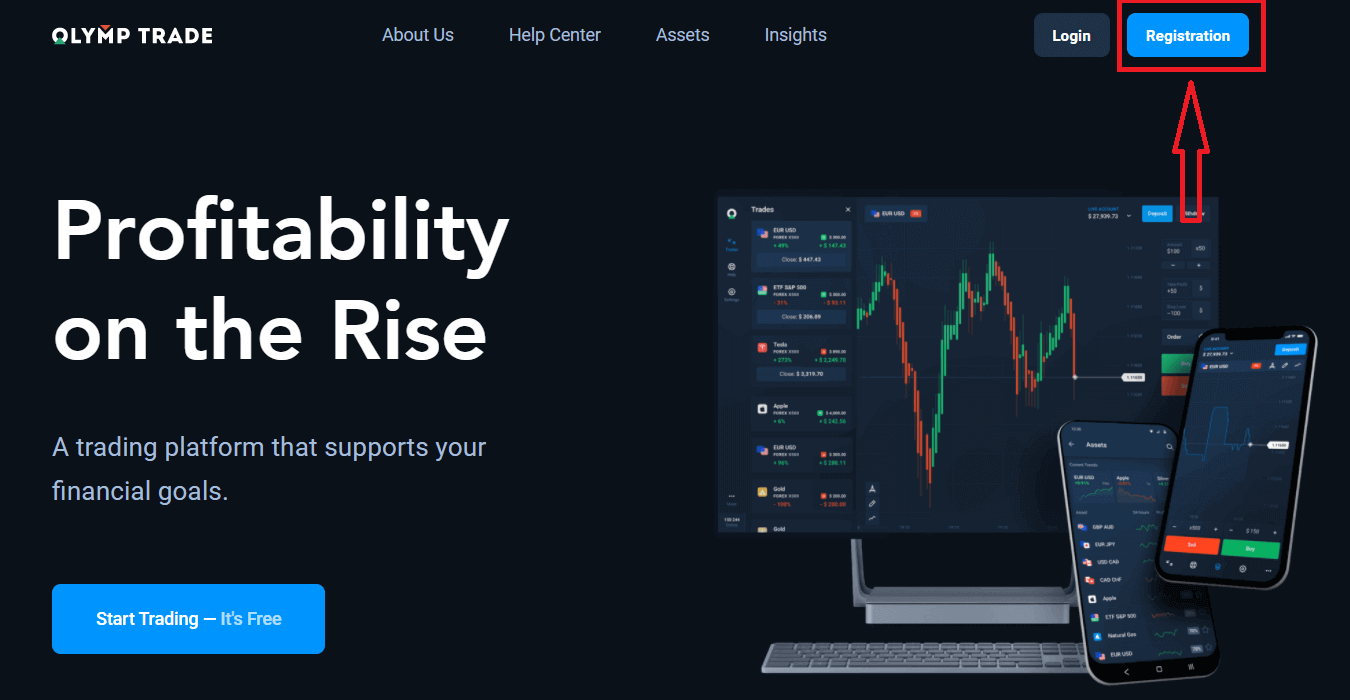
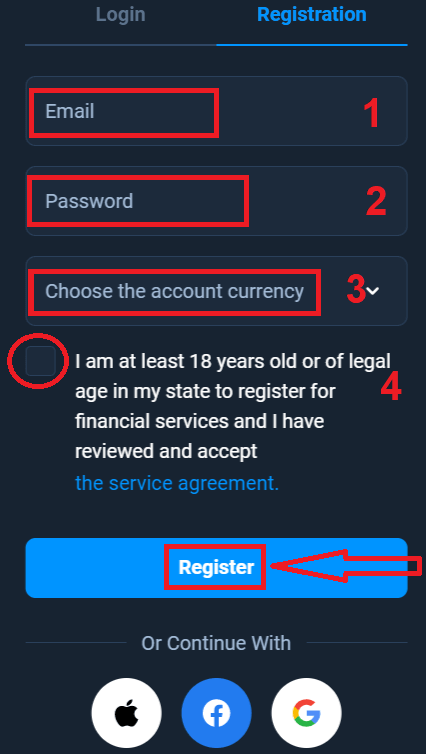
2. To sign up, you need to fill in all the necessary information and click the "Register" button
- Enter a valid email address.
- Create a strong password.
- Choose the account currency: (EUR or USD)
- You also need to agree to the service agreement and confirm that you are of legal age (over 18).
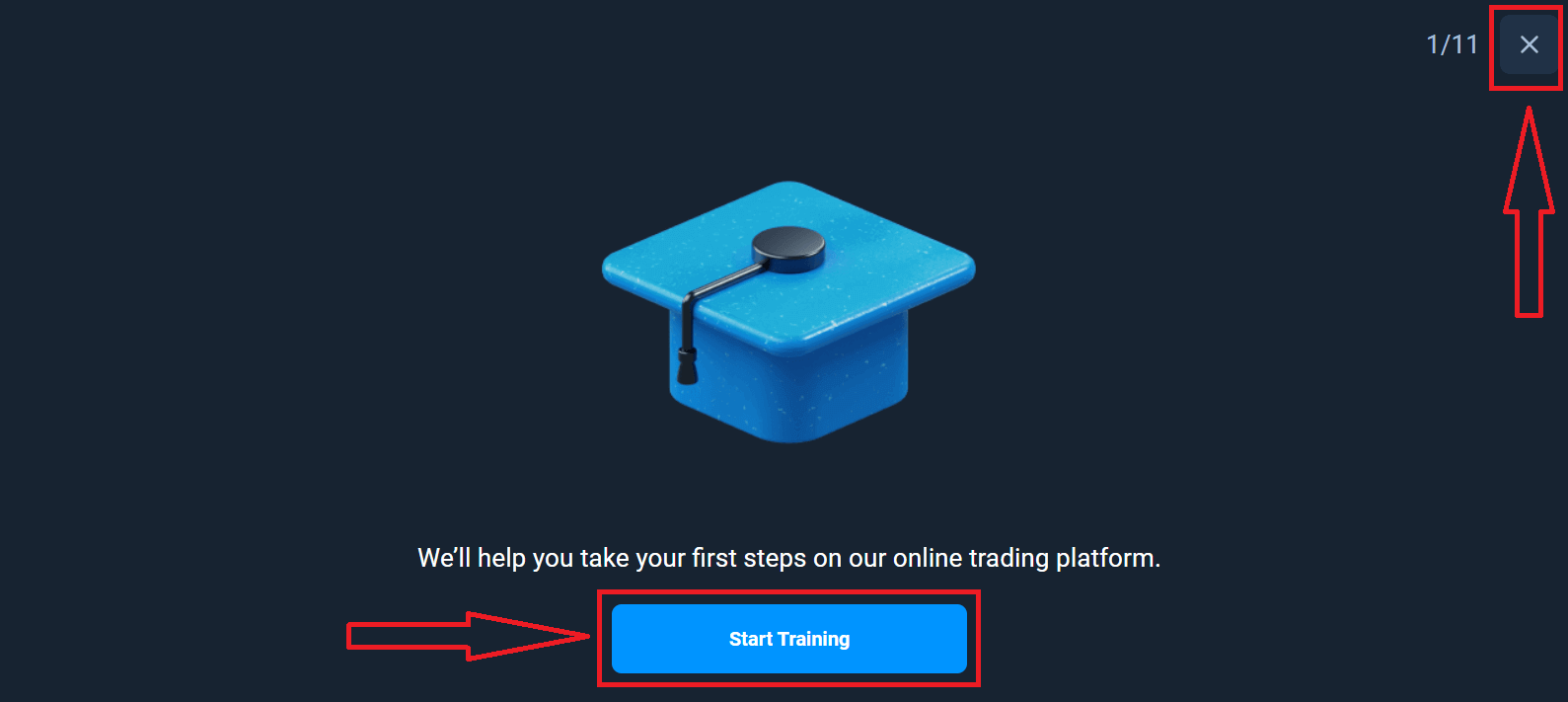
Congratulation! You have registered successfully. Firstly, we’ll help you take your first steps on our online trading platform. Click "Start Training" to take a quick look at Olymptrade. If you know how to use Olymptrade, click "X" in the upper right corner.
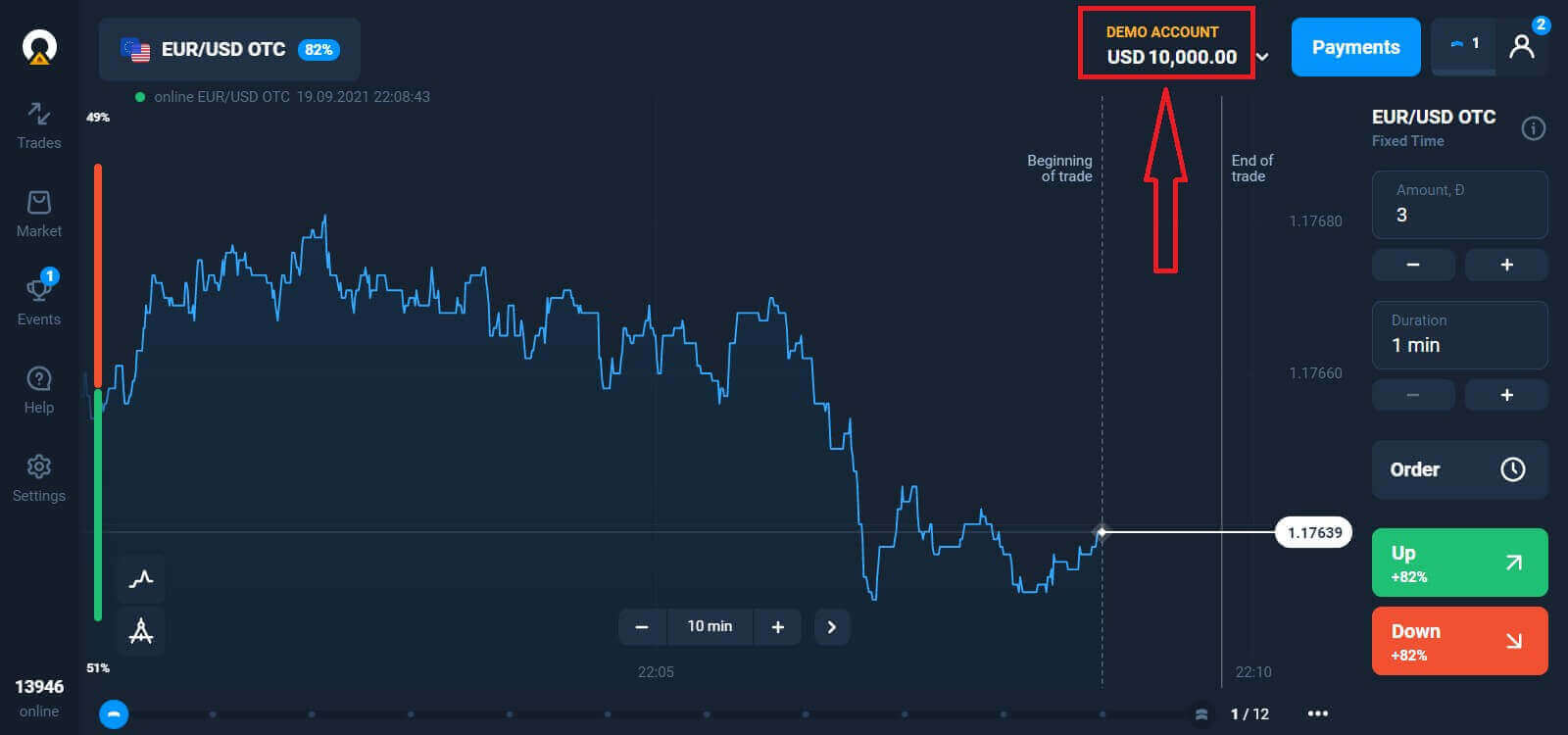
Now you can start trading. You have $10,000 in your Demo account. A Demo account is a tool for you to get familiar with the platform, practice your trading skills on different assets, and try out new mechanics on a real-time chart without risks.
You can also trade on a real account after deposit by clicking on the live account that you want to top up (in the "Accounts" menu),
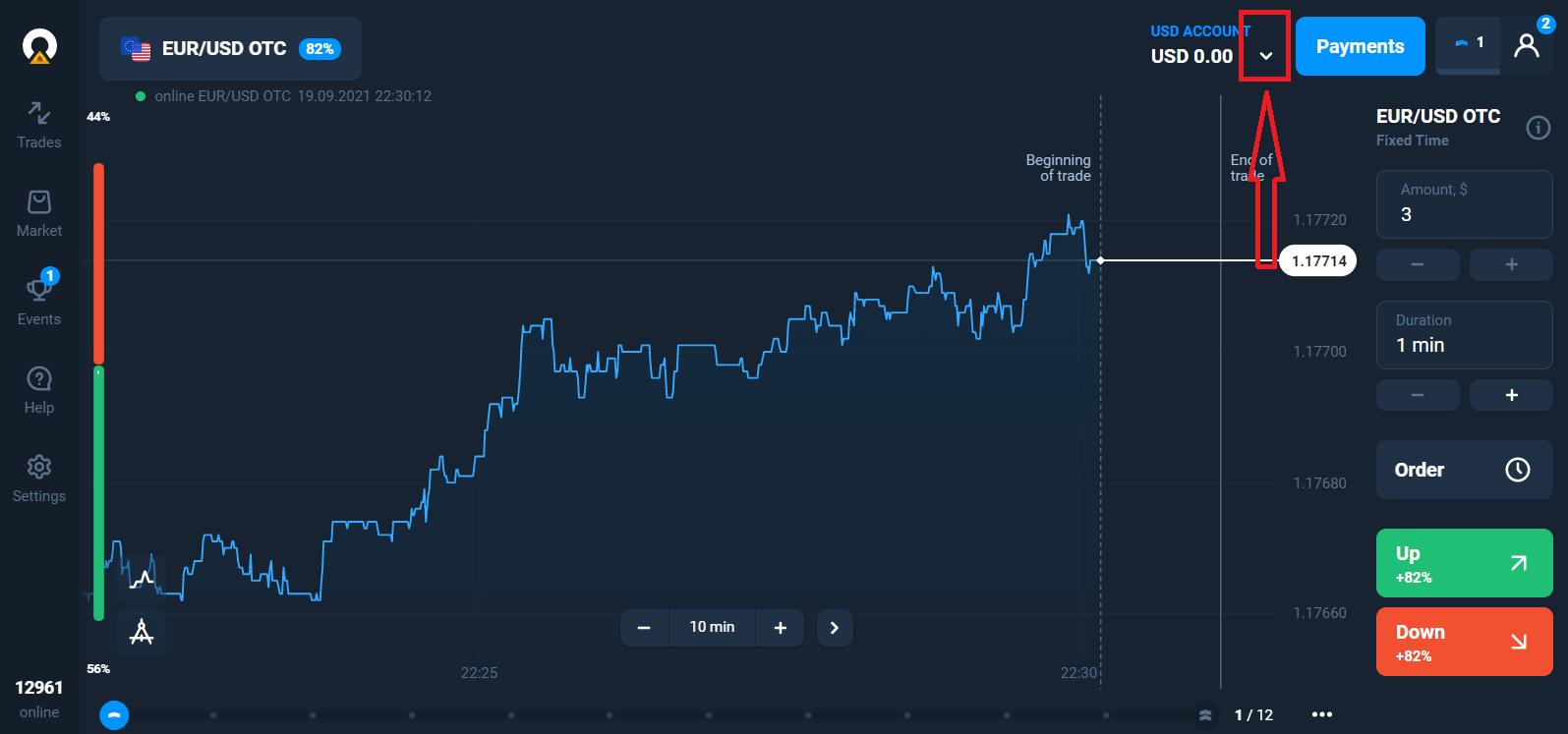
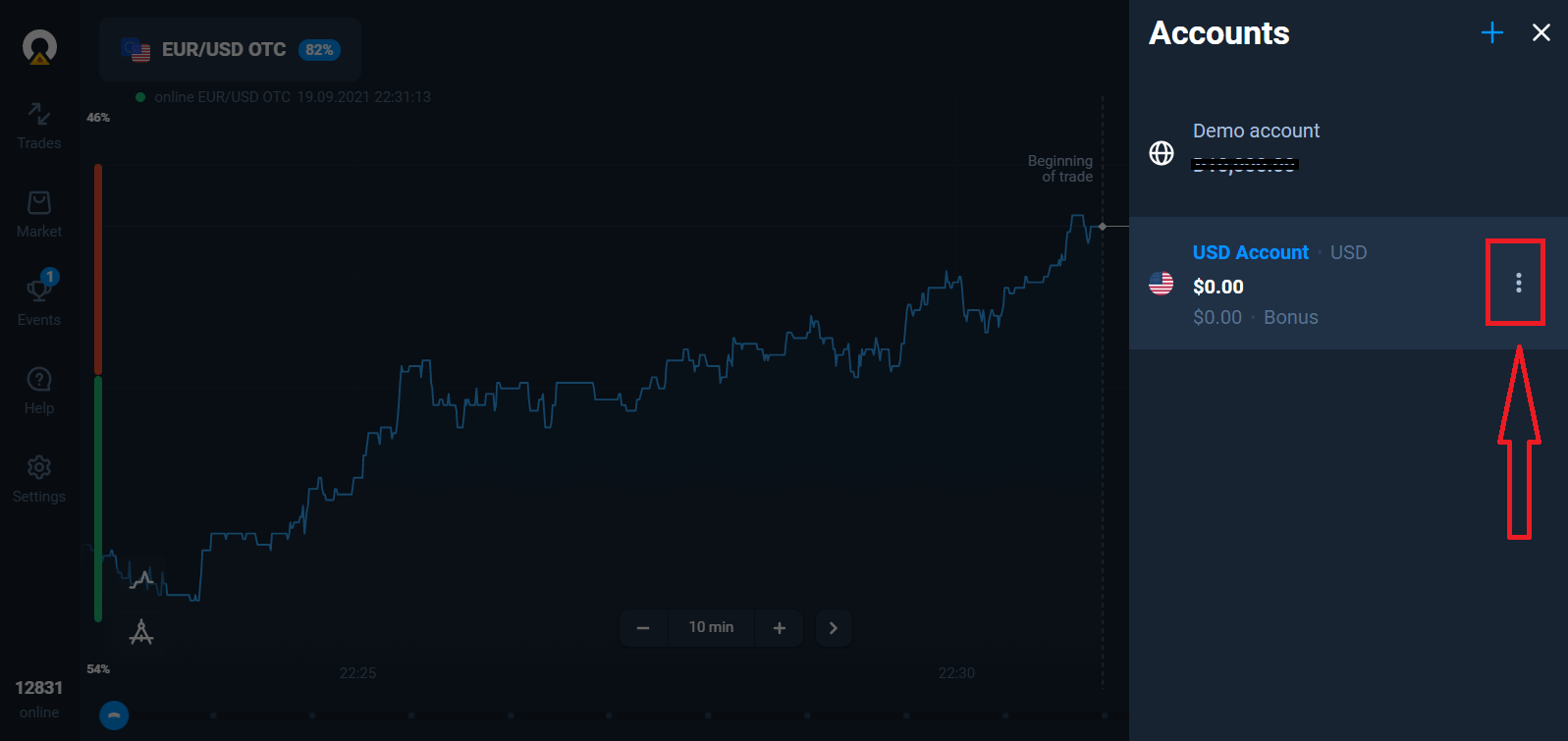
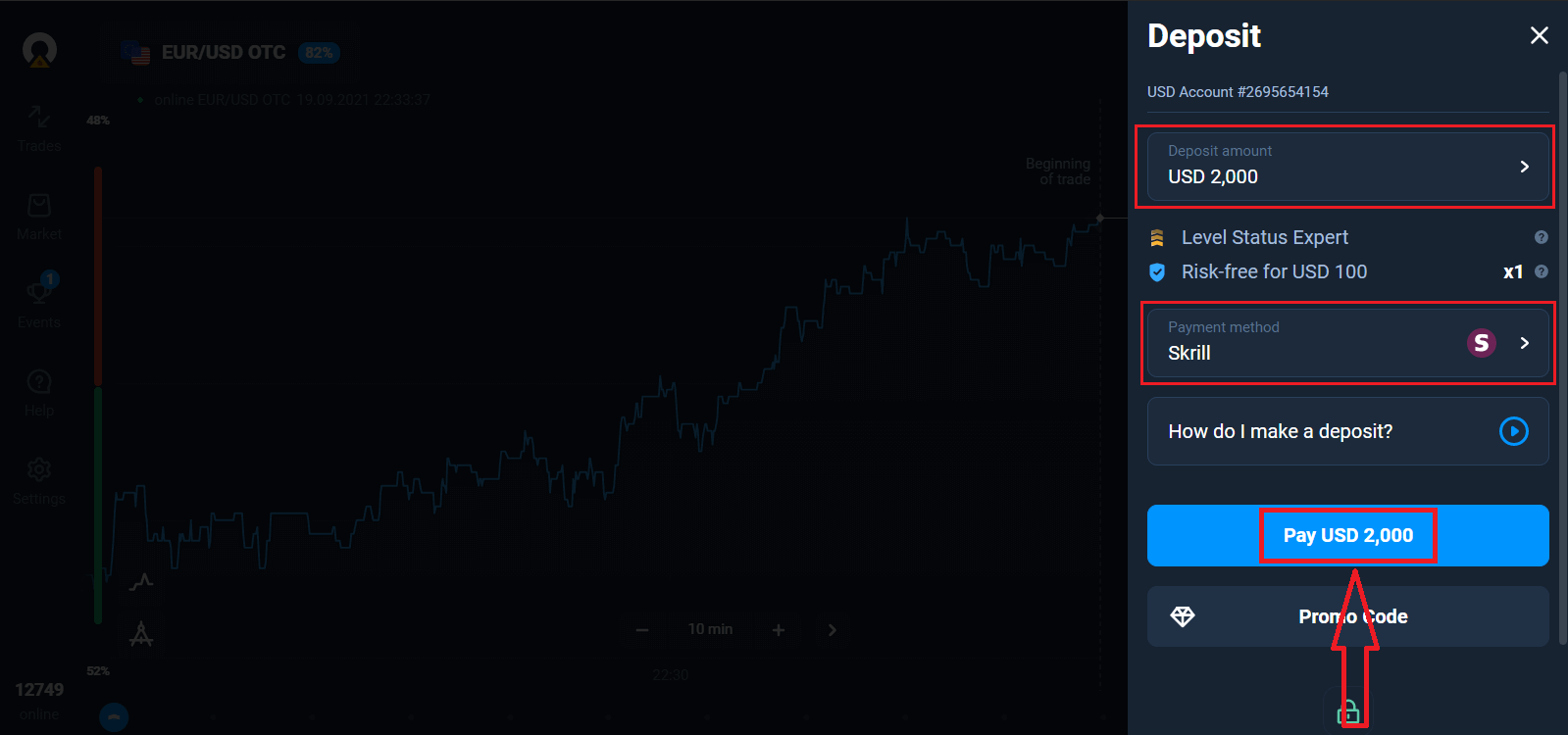
Pick the "Deposit" option, and then choose the amount and the method of payment.
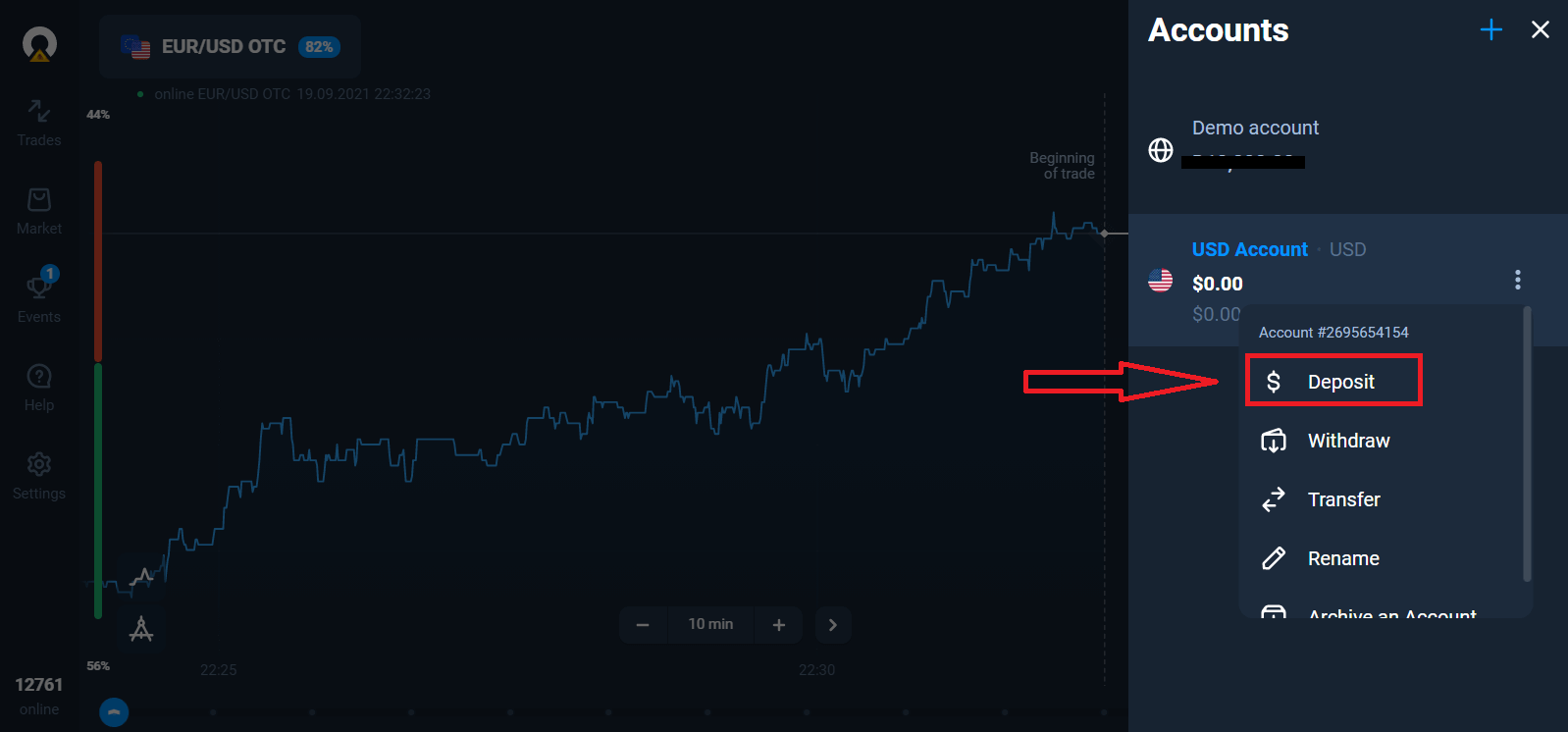
To start Live trading you have to make an investment in your account (The minimum deposit amount is 10 USD/EUR).
How to make a Deposit in Olymptrade
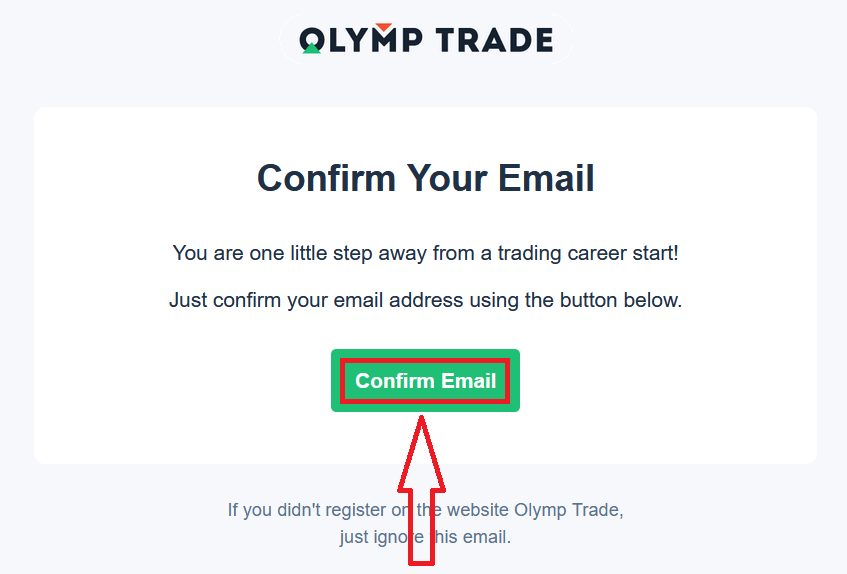
Finally, once you access your email, Olymptrade will send you a confirmation email. Click the "Confirm Email" button in that mail to activate your account. So, you will finish registering and activating your account.
How to Register with a Facebook account
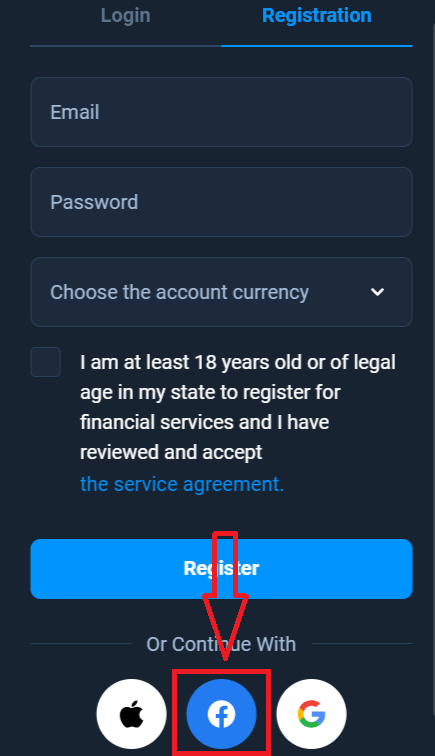
Also, you have the option to open your account using my Facebook account, and you can do that in just a few simple steps:1. Click on the Facebook button
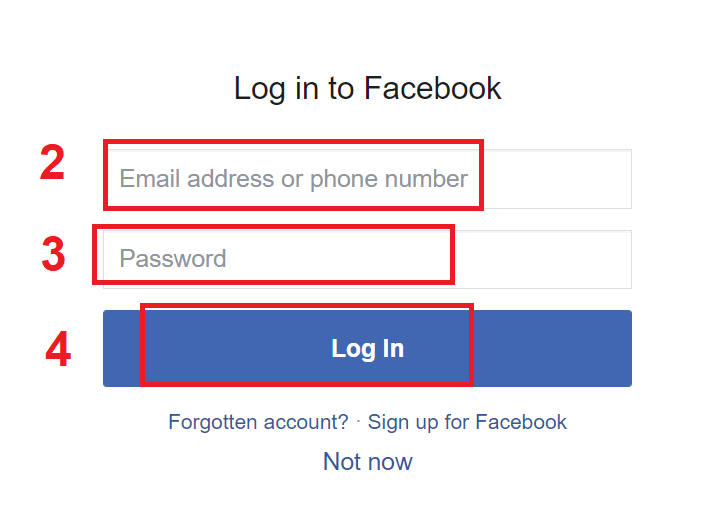
2. The Facebook login window will be opened, where you will need to enter the email address that you used to register on Facebook
3. Enter the password from your Facebook account
4. Click on “Log In”
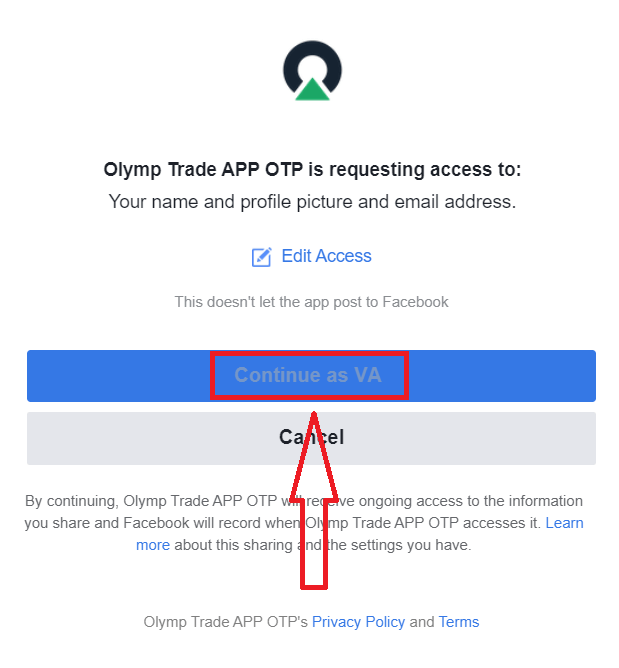
Once you’ve clicked on the “Log in” button, Olymptrade is requesting access to: Your name, profile picture, and email address. Click Continue...
After that, you will be automatically redirected to the Olymptrade platform.
How to Register with a Google account
1. To sign up with a Google account, click on the corresponding button in the registration form.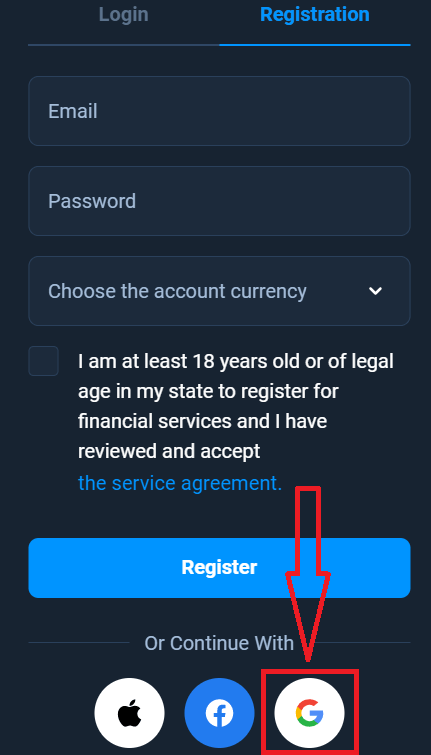
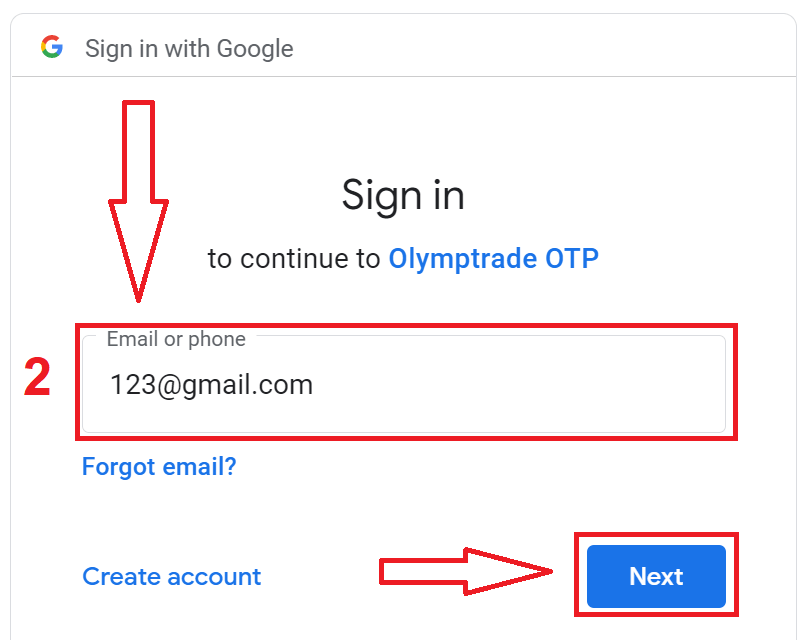
2. In the newly opened window enter your phone number or email and click "Next".
3. Then enter the password for your Google account and click “Next”.
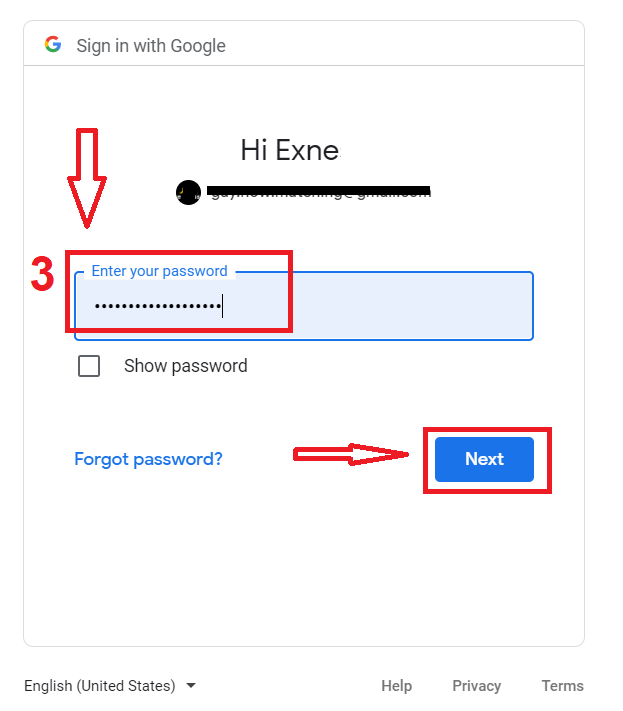
After that, follow the instructions sent from the service to your email address.
How to Register with an Apple ID
1. To sign up with an Apple ID, click on the corresponding button in the registration form.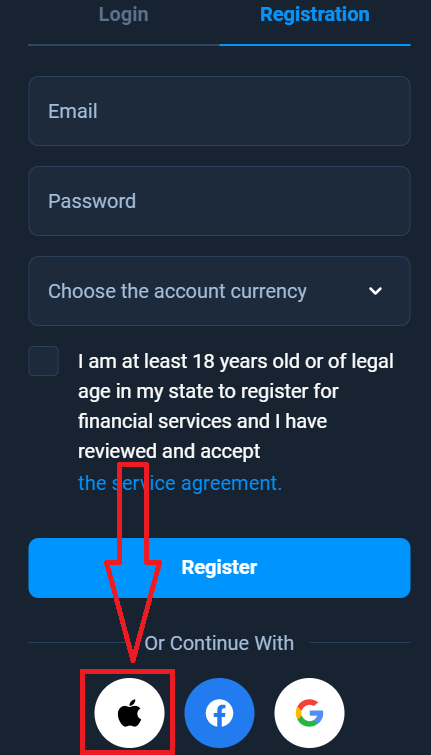
2. In the newly opened window enter your Apple ID and click "Next".
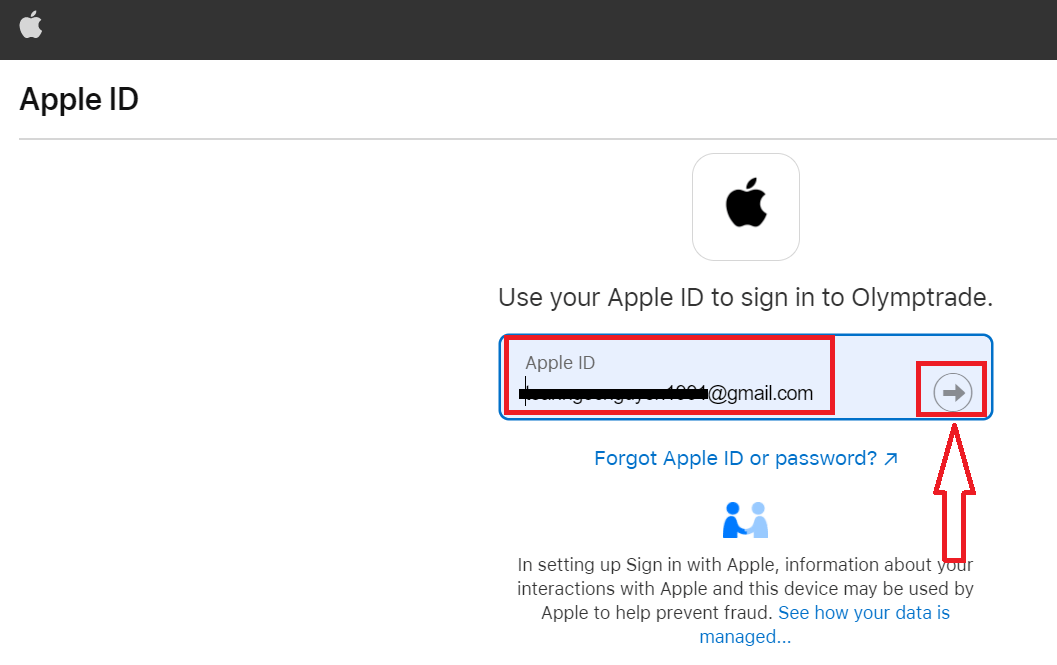
3. Then enter the password for your Apple ID and click “Next”.
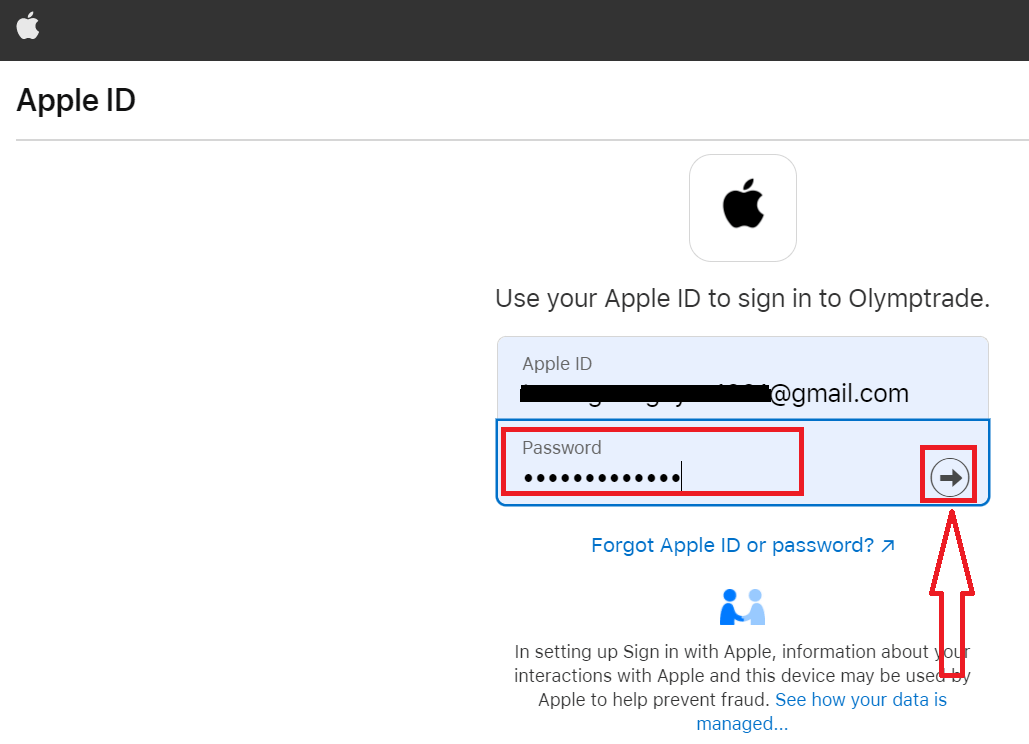
After that, follow the instructions sent from the service, and you can start trading with Olymp Trade.
Register on the Olymptrade iOS App
If you have an iOS mobile device you will need to download the official Olymptrade mobile app from App Store or here. Simply search for the “Olymptrade - Online Trading” app and download it on your iPhone or iPad.The mobile version of the trading platform is exactly the same as the web version. Consequently, there won’t be any problems with trading and transferring funds. Moreover, the Olymptrade trading app for iOS is considered to be the best app for online trading. Thus, it has a high rating in the store.
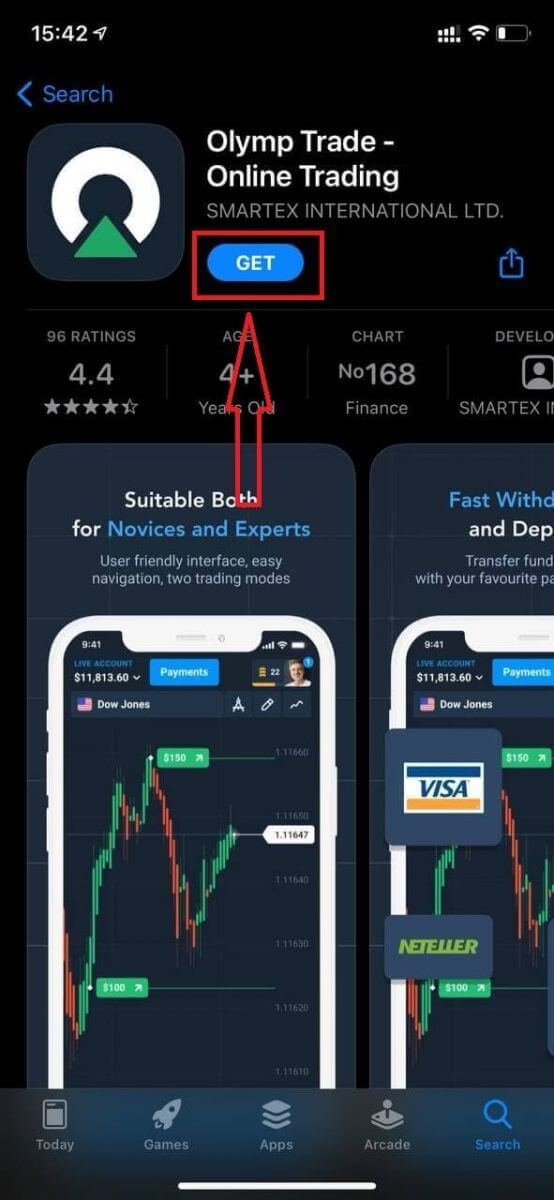
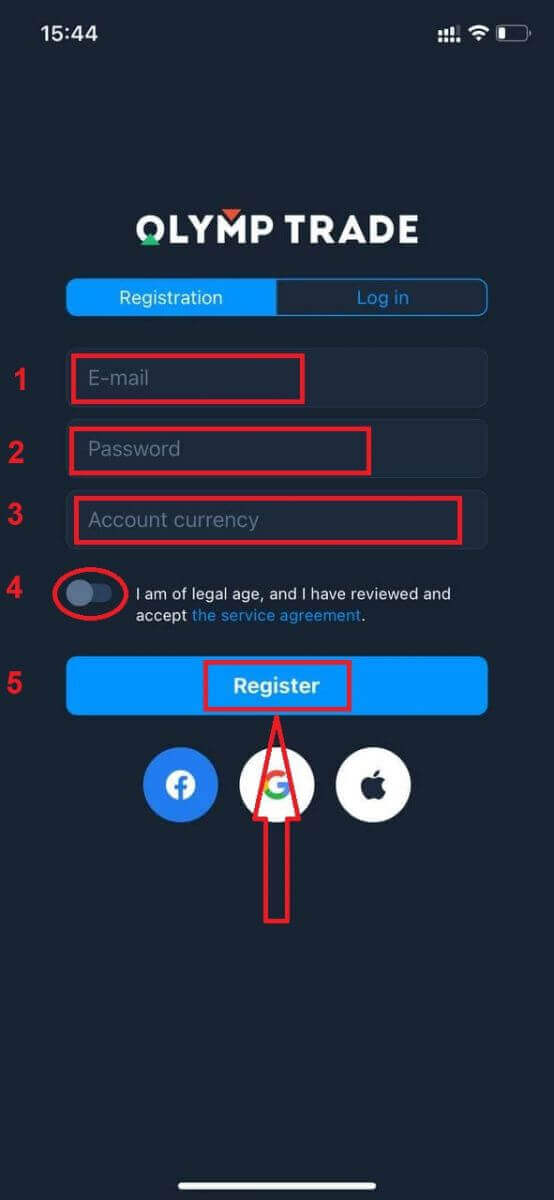
Now you can sign up via email.
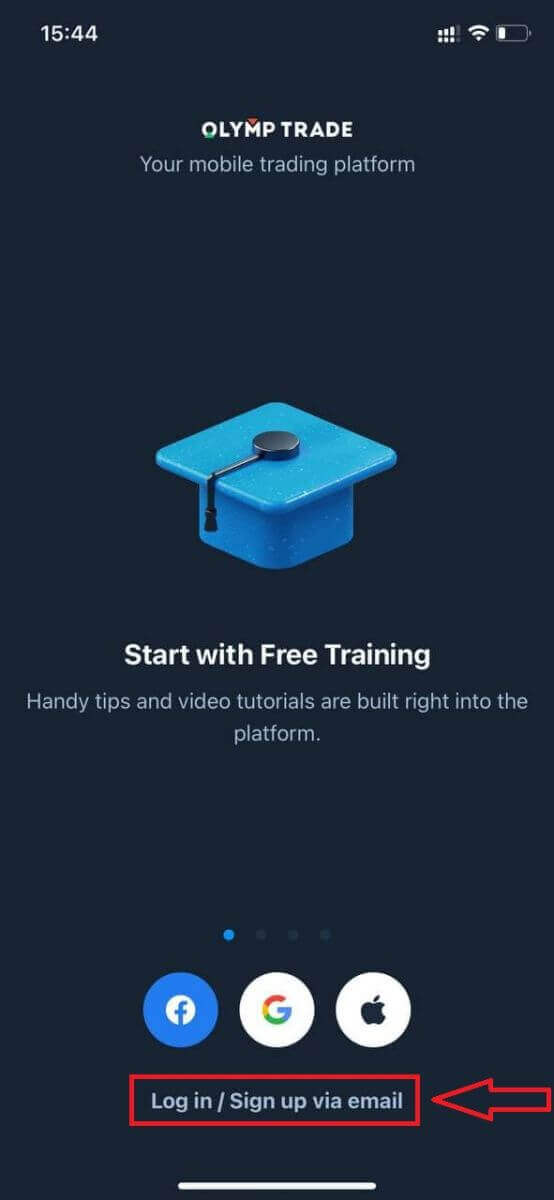
Registration for the iOS mobile platform is also available for you.
- Enter a valid email address.
- Create a strong password.
- Choose the account currency (EUR or USD)
- You also need to agree to the service agreement and confirm that you are of legal age (over 18).
- Click the "Register" button.
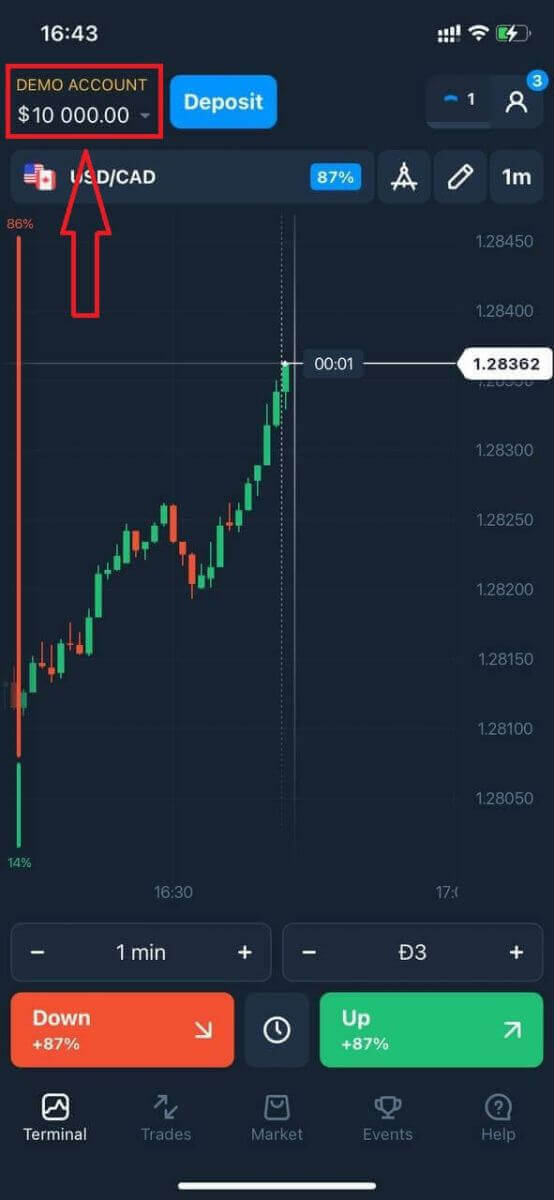
Congratulation! You have registered successfully. Now you have $10,000 in the Demo Account.
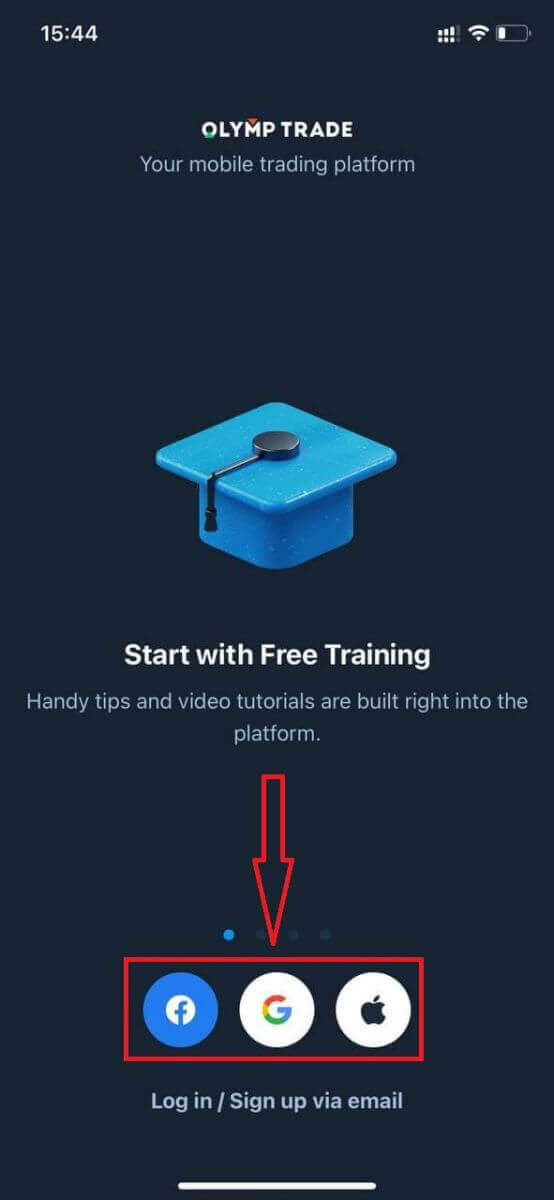
In case of social registration, click on “Apple”, “Facebook”, or “Google”.
Register on the Olymptrade Android App
If you have an Android mobile device you will need to download the official Olymptrade mobile app from Google Play or here. Simply search for the “Olymptrade - App For Trading” app and download it on your device.The mobile version of the trading platform is exactly the same as the web version. Consequently, there won’t be any problems with trading and transferring funds. Moreover, the Olymptrade trading app for Android is considered to be the best app for online trading. Thus, it has a high rating in the store.
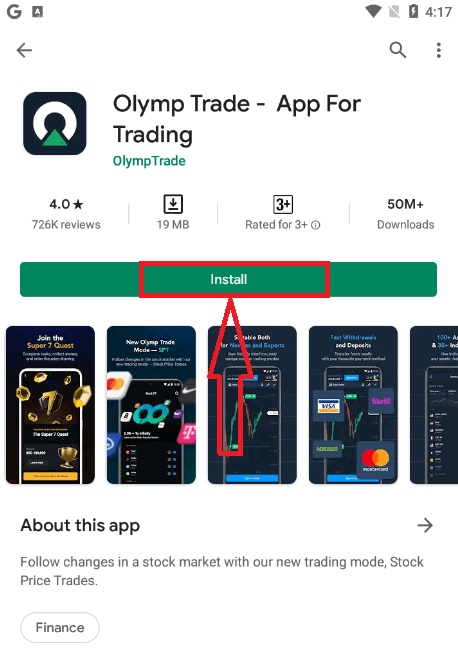
Now you can sign up via email.
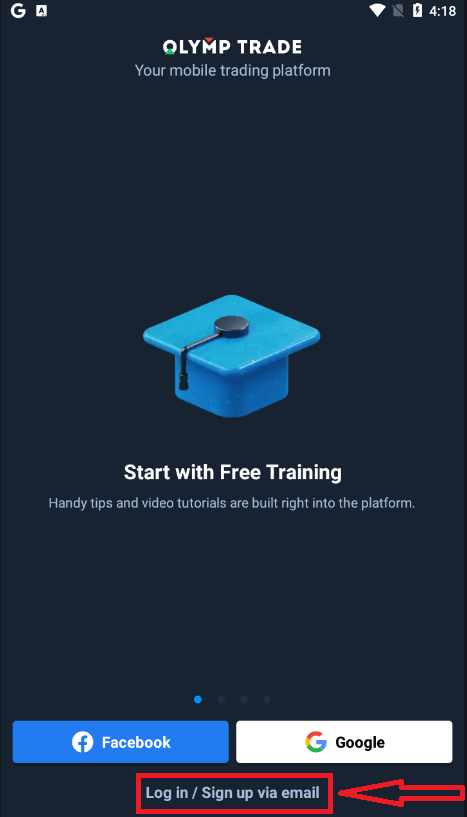
Registration for the Android mobile platform is also available for you.
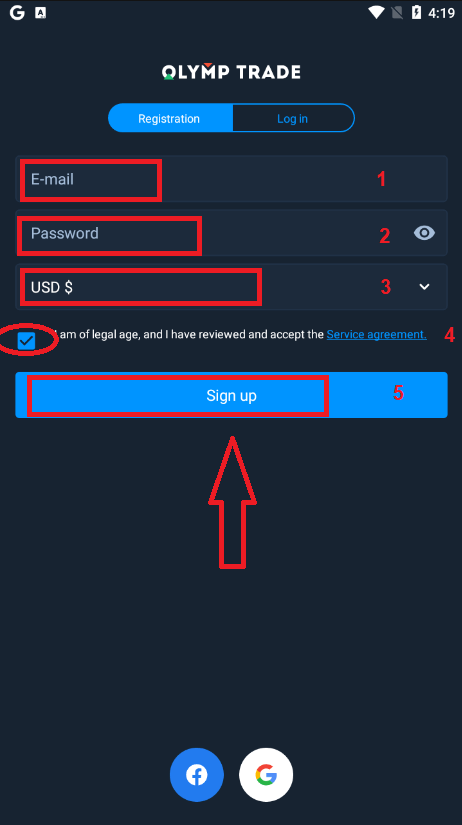
- Enter a valid email address.
- Create a strong password.
- Choose the account currency (EUR or USD)
- You also need to agree to the service agreement and confirm that you are of legal age (over 18).
- Click the "Sign up" button.
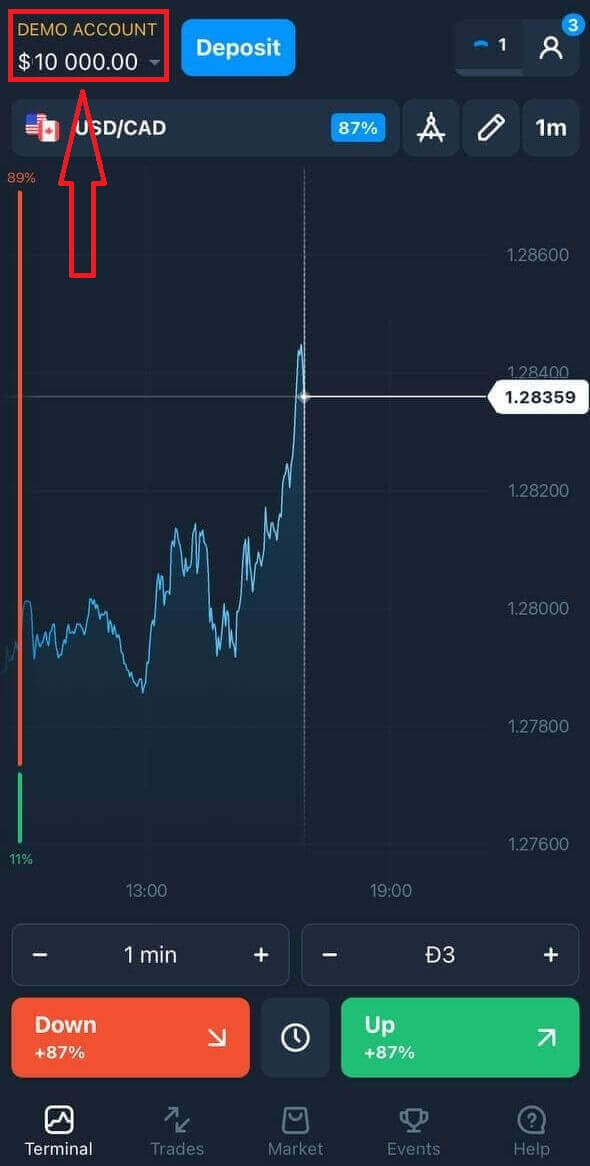
Congratulation! You have registered successfully. Now you have $10,000 in the Demo Account.
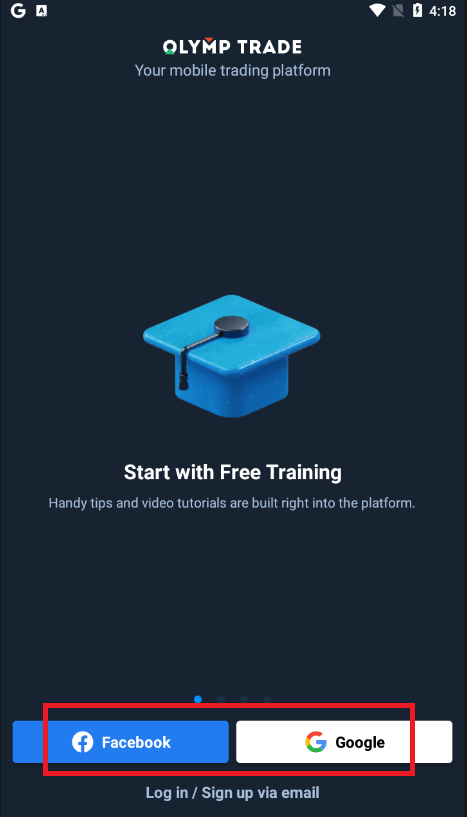
In case of social registration click on “Facebook” or “Google”.
Register an Olymptrade account on the Mobile Web Version
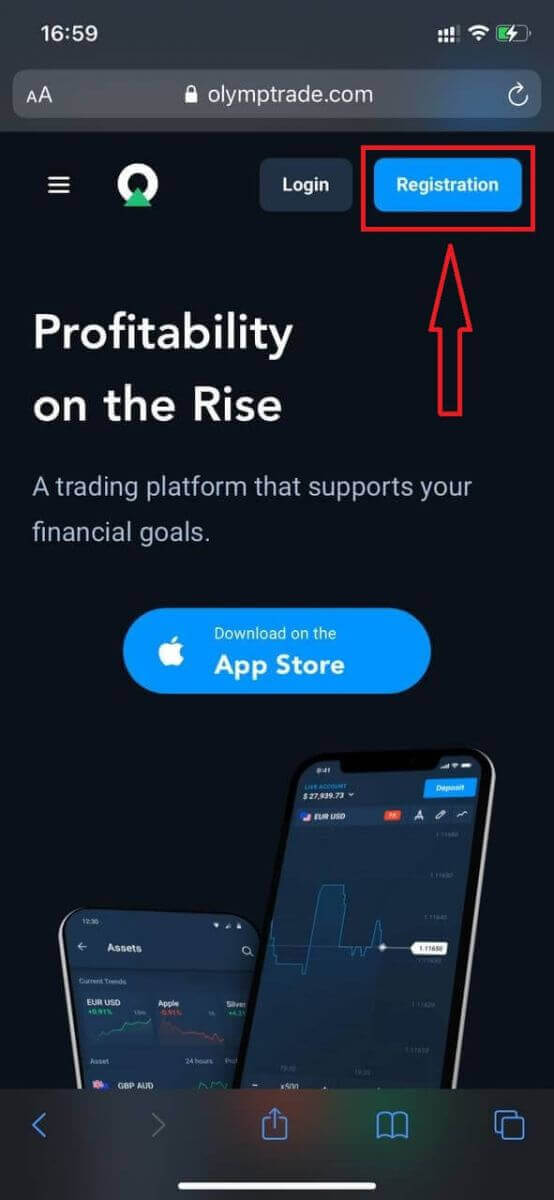
If you want to trade on the mobile web version of the Olymptrade trading platform, you can easily do it. Initially, open up your browser on your mobile device. After that, search for “olymptrade.com” and visit the official website of the broker.Click the "Registration" button in the upper right corner.
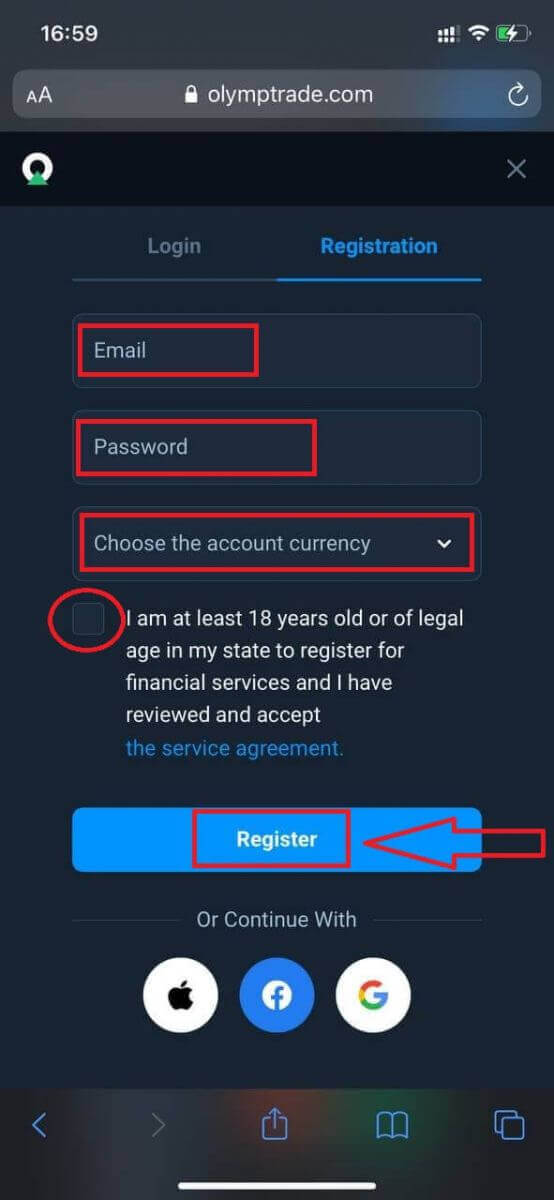
At this step, we still enter the data: email and password, check "Service Agreement", and click the "Register" button.
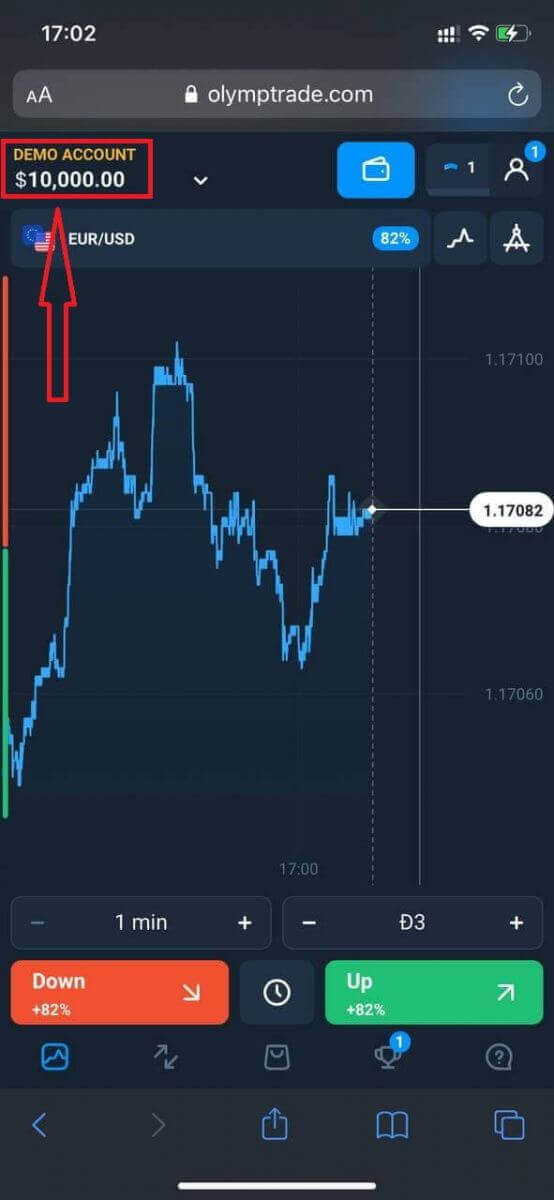
Here you are! Now you will be able to trade from the mobile web version of the platform. The mobile web version of the trading platform is exactly the same as a regular web version of it. Consequently, there won’t be any problems with trading and transferring funds.
You have $10,000 in your Demo Account.
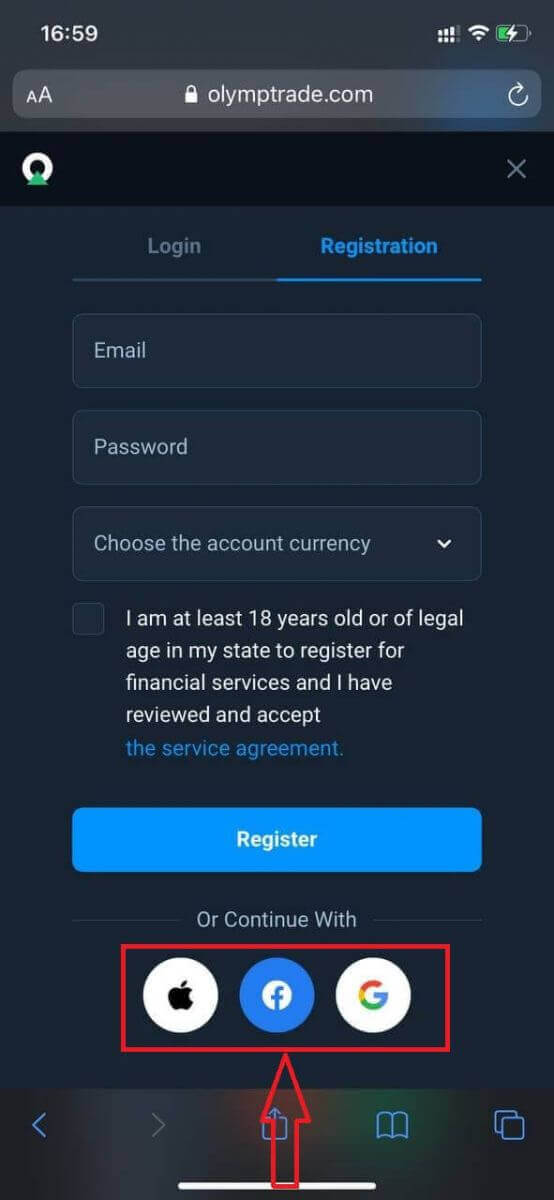
In case of social registration, click on “Apple”, “Facebook”, or “Google”.
Frequently Asked Questions (FAQ)
What are multi-accounts
Multi-Accounts is a feature that allows traders to have up to 5 interconnected live accounts on Olymptrade. During the creation of your account, you will be able to choose among available currencies, like USD, EUR, or some local currencies.
You will have full control over those accounts, so you are free to decide on how to use them. One could become a place where you keep the profits from your trades, and another can be dedicated to a specific mode or strategy. You can also rename these accounts and archive them.
Please note that accounts in Multi-Accounts are not equal to your Trading Account (Trader ID). You can only have one Trading Account (Trader ID), but up to 5 different live accounts connected to it to store your money.
How to Create a Trading Account in Multi-Accounts
To create another live account, you need to:
1. Go to the "Accounts" menu;
2. Click on the "+" button;
3. Choose the currency;
4. Write the new account’s name.
That’s why you’ve got a new account.
Bonuses Multi-Accounts: How It Works
If you have multiple live accounts while receiving a bonus, then it will be sent to the account where you are depositing funds.
During the transfer between the trading accounts, a proportional amount of bonus money will be automatically sent alongside the live currency. So, if you, for example, have $100 in real money and a $30 bonus on one account and decide to transfer $50 to another, $15 bonus money will be transferred as well.
How to Archive Your Account
If you wish to archive one of your live accounts, please ensure that it satisfies the following criteria:
1. It contains no funds.
2. There are no open trades with money on this account.
3. It is not the last live account.
If everything is in order, you will be able to archive it.
You still can look through that account’s history even after archiving, as the trade history and financial history are available via the user’s Profile.
What Is a Segregated Account
When you deposit funds onto the platform, they are transferred directly to a segregated account. A segregated account is essentially an account that belongs to our company but is separate from the account that stores its operational funds.
We use only our own working capital to support our activities such as product development and maintenance, hedging, as well as business and innovative activities.
Advantages of a Segregate Account
Using a segregated account to store our client’s funds, we maximize transparency, provide the platform users with uninterrupted access to their funds, and protect them from possible risks. Although this is unlikely to happen, if the company went bankrupt, your money would be 100% safe and could be refunded.]
How Can I Change the Account Currency
You can only select the account currency once. It cannot be changed over time.
You can create a new account with a new email and select the desired currency.
If you have created a new account, contact support to block the old one.
According to our policy, a trader can only have one account.